

Chapter 1
IN THIS LESSON
We go over what fl is and the most used buttons
It all begins with an idea. Maybe you want to record some hip hop or pop maybe you want to try your hand at edm. Or maybe you have a project that has already been started and need to fix or change something. No matter what your reason for launching FL you’ll need to know some basics.
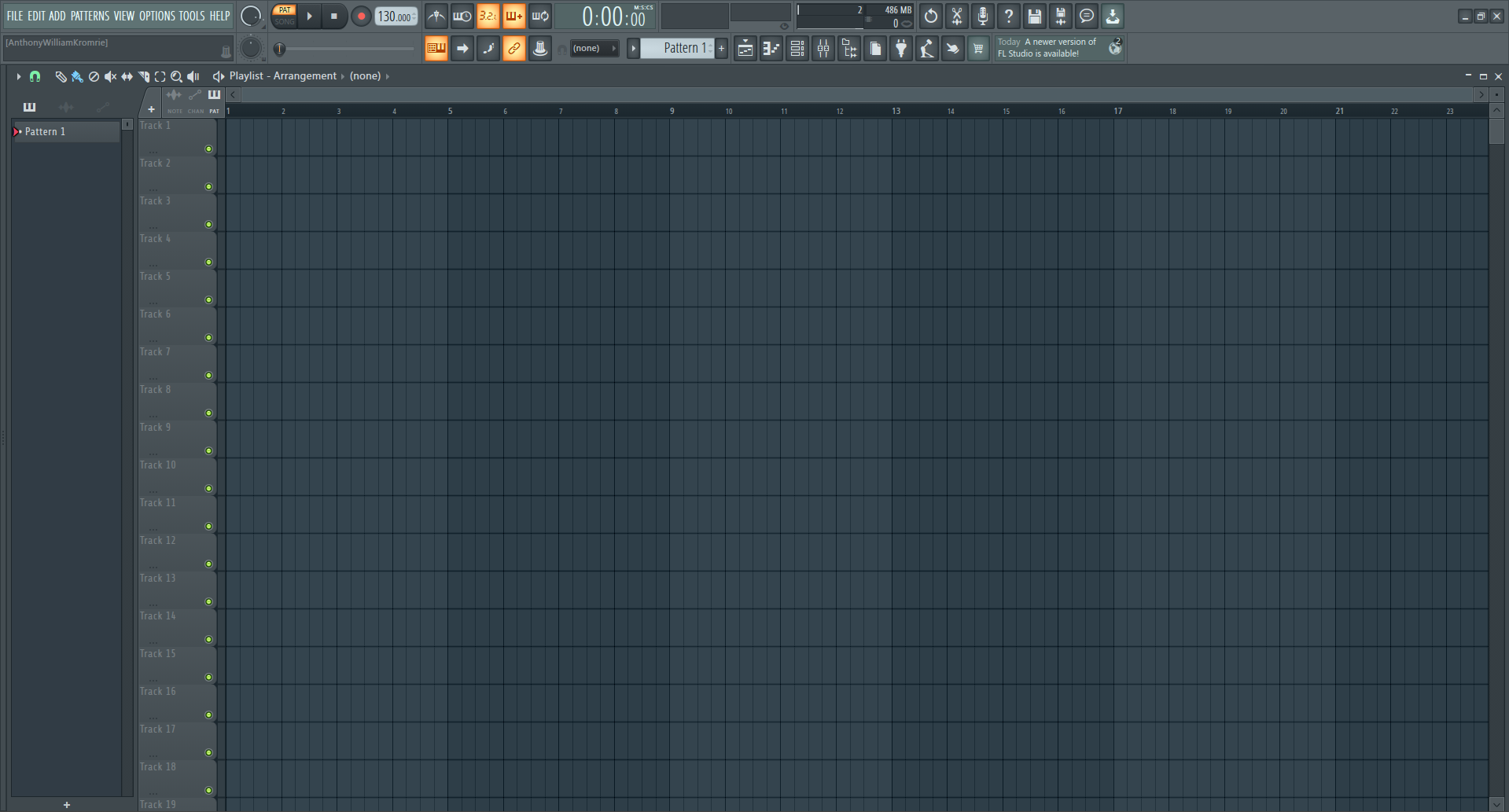
Blank FL STUDIO workspace
Lets go over the areas within FL
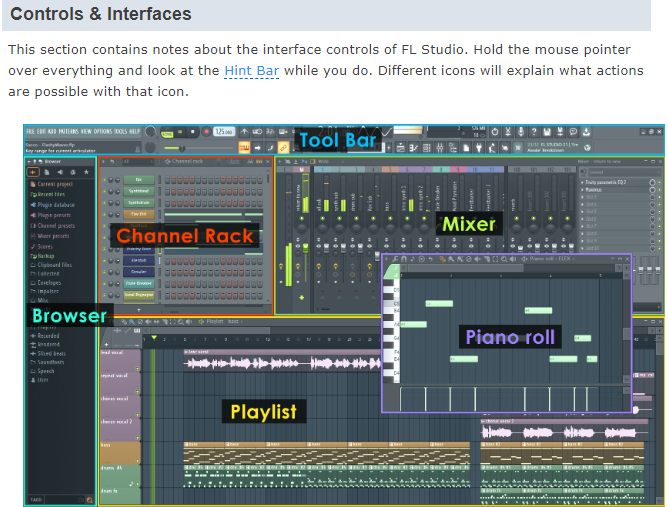
This shows what each area within FL & what they are called.
There 6 main areas within FL Studio
Channel Rack, Mixer, Brower, Playlist & Piano roll.
The largest is the Playlist where all the audio tracks go and where you can add things from the browser, speaking of the browser this is where you can find samples and files that can be dragged into the playlist or channel rack.
The channel rack is kind of like an rack of instruments and plug-ins.
The Piano roll is where you can play the instruments and place notes to create chords, melodys and percussion patterns.
Lets try making some music start with the channel rack and add instruments and or audio clips from the browser or by pressing the + symbol under the other instruments each instrument should have their own pattern and have their own layer in the playlist below is how to do so.
Start by opening the Channel rack

Then add your instruments and create your music once you have done this go to the browser area and drag the pattern into an empty layer of the playlist.
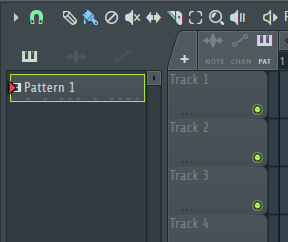
Once in the playlist right click pattern within the browser to bring up the pattern menu
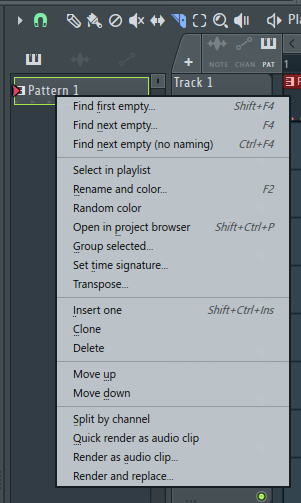
Now all you have to do is click split by channel near the bottom of this menu
Here is a video showing this
Splitting channel rack by channel in a single pattern and showing pat vs song when playing